Sabtu, 11 Desember 2010
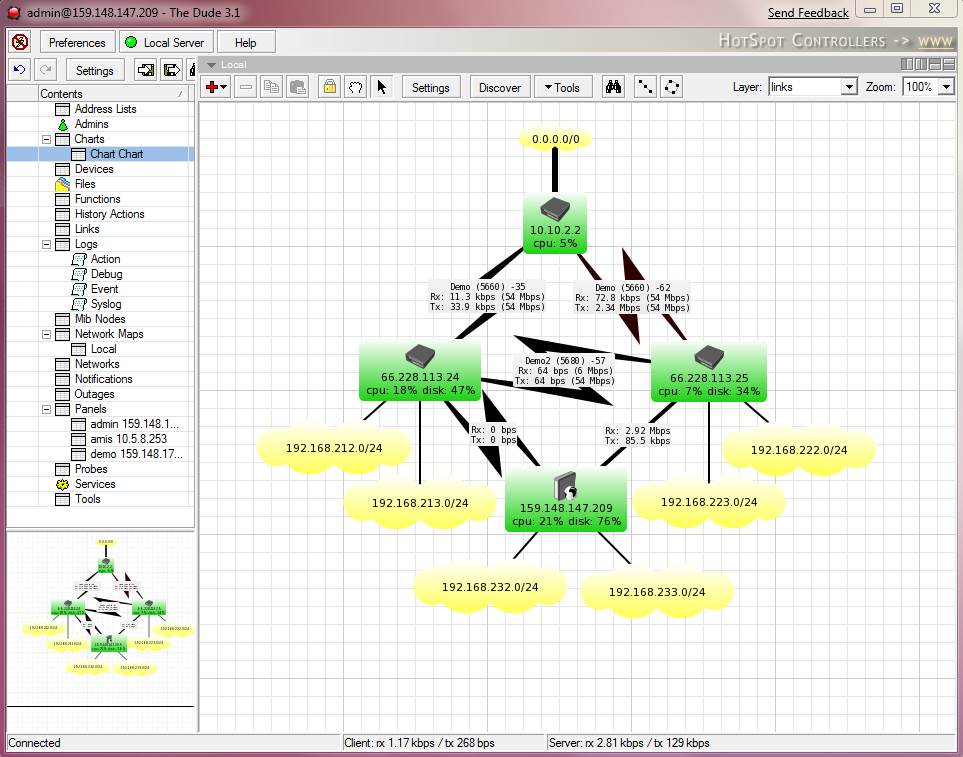
Tutorial The Dude, Free Application by MikroTik
Download The Dude
Download Completed Tutorial
Mikrotik User Meeting in Salvador, Bahia, Brazil, 2010
PresentationsMaterial
Day 1- Implementações de IPV6 com Mikrotik RouterOS. IPV6 Firewall e OSPFV-3 by Wardner Maia (MD Brasil, Brazil)
- Como o RouterOs mudou a rede e dia a dia dos ISP/WISP no Brasil by Magdiel Da Costa Santos, (FS Internet, Brazil)
- Boas práticas com Firewall MikroTik by Jorge Fernando (Aloo Telecom, Brazil)
- Evitando Interferências e otimizando células multiponto em um AP rodando RouterOS by Luciano Franz (Brazil)
- Transmissão sem Interferncia com Mikrotik Router OS by Nicola Sanchez (Microwave, Brazil)
- Tuneis PPPoE em Provedores de Internet by Humberto Filho (HiperNET, Brazil)
- Implementing MPLS on Mikrotik Router OS by Edson X Veloso Júnior, (MD Brazil, Brazil)
- RouterOS + SwOS: 100% mikrotik based networks by Antonio Junior (G3 Telecom, Brazil)
- Redes com Alta Disponibilidade by Lacier da Costa Dias Junior (Brazil)
- Hotspot - Autenticao Centralizada - Pagamento via PAYPAL by Juliano Hara (FS Internet, Brasil)
- Passive Optical Networks (PoN) com Mikrotik RouterOS by Nicola Sanchez (Microwave, Brazil)
- GI-cert Para RouterOS by Squitter (USA-Brazil)
- VLAN with Mikrotik by Flávio G. F. Camacho (Vipnet, Brazil)
- MONTANDO ESTRUTURAS DE QOS COM HTB UTILIZANDO O ROUTER-OS - O CONCEITO by David Marcony (CATVBRASIL, Brazil)
- Mesh Networks - Provedores e Projeto Cidade Digital by Jonni Pianezzer (Tecnico em Wireless, Brazil)
- BGP no Mikrotik RouterOS - Estudo de cenários práticos em Autonomous Systems brasileiros by Wardner Maia (MD Brasil, Brazil)
- Transporte em camada 2:Um estudo de caso by Rinaldo Vaz (ANID, Brazil)
- Micro-setorização o futuro dos provedores wireless by Anderson Marin Matozinhos (Brumanet Ltda, Brazil)
- Projeto Rede Wan-Wireless de Anápolis - Custo Benefício da Implantação - Case de sucesso by Mario Moreira (Prefeitura de Anápolis, Brazil)
Kamis, 02 Desember 2010
Mikrotik User Meeting in Phoenix, USA, October 2010
Purpose of the Meeting
MikroTik Router operating system and software offer a new and exciting alternative to traditional brand name router solutions. This will be a meeting that will present strategies for deploying new and innovative MikroTik RouterOS and RouterBoard hardware applications.
Dates of Events
Training before the MUM is a separate event, MUM registration price does not include Training! Training is not organized by MikroTik, but by EDCWifi. Training takes place from April 6-9 (4 days). More info on EDCwifi site.
What Attendees Learn About
Where and how MikroTik RouterOS is being used, New plans for enterprise routing applications, Innovative ideas and strategies, New opportunities for MikroTik products and services.
Presentation Materials
- New RouterBOARDs and RouterOS5 by Sergejs Boginskis (MikroTik, Latvia)
- Port Knocking for Security by Steve Discher (learnmikrotik.com, USA)
- Hardware Performance and RouterOS by Janis Megis (MikroTik, Latvia)
- OSPF/BGP Implementations by Dennis Burgess (Link Technologies, USA)
- Managing wireless access with Mikrotik by Butch Evans (USA)
- Quick Script for Simple Queues by Nick Challis (Swift Wireless, USA)
- VRRP Implementation by Sterling Jacobson (Rapidwave, LLC, USA)
- Troubleshooting guide by Greg Sowell (Greg Sowell Consulting, USA)
- New Wireless Features on RouterOS v5 by Uldis Cernevskis (MikroTik, Latvia)
- NV2 Live Demo, Real World Testing by Brian Vargyas (Baltic Networks, USA)
- Link Aggregation with VPLS - Workshop by Maris Bulans (MikroTik, Latvia)
- Customizing Hotspot Deployments by Felix Windt (Smart City Networks, USA)
- Utilizing Wireless N by Rick Frey (SysLogic Technology Services, USA)
- Disaster Recovery by BJ Services at the Deepwater Horizon Well by Steve Discher (learnmikrotik.com, USA)
Rabu, 01 Desember 2010
MikroTik User Meeting in CHINA, April 2010
Purpose of the Meeting
MikroTik Router operating system and software offer a new and exciting alternative to traditional brand name router solutions. This will be a meeting that will present strategies for deploying new and innovative MikroTik RouterOS and RouterBoard hardware applications.
Dates of Events
Training before the MUM is a separate event, MUM registration price does not include Training! Training is not organized by MikroTik, but by EDCWifi. Training takes place from April 6-9 (4 days). More info on EDCwifi site.
What Attendees Learn About
Where and how MikroTik RouterOS is being used, New plans for enterprise routing applications, Innovative ideas and strategies, New opportunities for MikroTik products and services.
Presentation Materials
- Wireless Installation Tips and Workshop by Andrew Zheng (EDCwifi, China)
- Bandwidth Management by Site by Harijanto Pribadi (PT. Data Utama Dinamika, Indonesia)
- Case Study by Yu Song (CDnat, China)
- RouterBOARD Application at Junior High School computer LAB by Luo Jiahua (China)
- Nine Wireless Hacks by Jesse Liu (Convergingstream Technologies Inc., China)
Mikrotik User Meeting Presentation Material in USA 2009
The second MikroTik User Meeting in Wroclaw, Poland, March 1-2, 2010.
Purpose of the Meeting
MikroTik Router operating system and software offer a new and exciting alternative to traditional brand name router solutions. This will be a meeting that will present strategies for deploying new and innovative MikroTik RouterOS and RouterBoard hardware applications.
What Attendees Will Learn
* Where and how MikroTik RouterOS is being used
* New plans for enterprise routing applications
* Innovative ideas and strategies
* New opportunities for MikroTik products and services
Presentation Files
- Introduction and opening, New products and features by MikroTik
- MikroTik products in a datacenter environment by Patrik Schaub (FMS Internetservice, Germany)
- Radius - MikroTik UserManager VS FreeRadius and Net Flow logging how-to and resources by Martin Krug (Future Shop, Slovakia)
- Mikrotik Router OS Network Security, Threats and Countermeasures by Tom Smyth (Wireless Connect, Ireland)
- HWMP+ based MESH networks by Bartlomiej Rodek (Inter Projekt, Poland)
- VPN technology: IPsec, OpenVPN, PPTP - which is better? by Pawel Cieplinski (AkademiaWIFI.pl, Poland)
- Advanced Load Balance Workshop by Valens Riyadi, (Citraweb, Indonesia) and Janis Megis (MikroTik, Latvia)
- Introduction to Layer7 filtering by Andrzej Bober and Jaroslaw Konieczny (Inter Projekt, Poland)
- Lecture about wireless antennas by Seyed Ahmad Mortezavi (KavianCo., Iran)
- Wireless QoS with WMM and DSCP by Andrea Grittini (Totalconn, Italy)
- Multicast networking basics with RouterOS by Balazs Meretei (C4-NetWorks, Hungary)
- Layer 2 Security - Attacks and Countermeasures using MikroTik RouterOS by Wardner Maia (MD Brasil, Brazil)
- Hybrid powered Mikrotik base stations by Lukas Hatas (ispadmin.eu, Czech Republic)
- BFD feature by Bartosz Mazurczyk (Inter Project, Poland)
- MPLS saved money for Municipality of Tranemo by Leo De Geer (Satellithuset, Sweden)
- Possibilities of virtualization in MikroTik RouterOS by Martin Pina (hanacke.net, Czech Republic)
Kamis, 25 November 2010
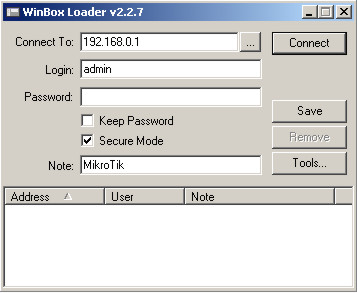
Mikrotik Winbox Tutorial
Minggu, 07 November 2010
Mikrotik DHCP Server (English E-Book)
The DHCP (Dynamic Host Configuration Protocol) is needed for easy distribution of IP addresses in a network. The MikroTik RouterOS implementation includes both server and client parts and is compliant with RFC 2131. The router supports an individual server for each Ethernet-like interface. The MikroTik RouterOS DHCP server supports the basic functions of giving each requesting client an IP address/netmask lease, default gateway, domain name, DNS-server(s) and WINS-server(s) (for Windows clients) information (set up in the DHCP networks submenu)
In order DHCP server to work, you must set up also IP pools (do not include the DHCP server's own IP address into the pool range) and DHCP networks.
It is also possible to hand out leases for DHCP clients using the RADIUS server, here are listed the parameters for used in RADIUS server.
Mikrotik Hotspot Setup
The MikroTik HotSpot Gateway provides authentication for clients before access to public networks . HotSpot Gateway Setup:
- different authentication methods of clients using local client database on the router, or remote RADIUS server;
- users accounting in local database on the router, or on remote RADIUS server;
-walled-garden system, access to some web pages without authorization;
-login page modification, where you can put information about the company;
-automatic and transparent change any IP address of a client to a valid addres.
Download
HotSpot Profile
Hotspot server profiles. There may be various different HotSpot systems, defined as HotSpot Server Profiles, on the same gateway machine. One or more interfaces can be grouped into one server profile. There are very few settings for the servers on particular interfaces - most of the configuration is set in the server profiles. For example, it is possible to make completely different set of servlet pages for each server profile, and define different RADIUS servers for authentication.
Download
HotSpot User
This is tutorial, where client's user/password information is actually added, additional configuration options for HotSpot users are configured here as well.
Download
HotSpot Walled Garden
This is tutorial, where client's user/password information is actually added, additional configuration options for HotSpot users are configured here as well.
Download
Mikrotik Customizing Hotspot
You can create a completely different set of servlet pages for each HotSpot server you have, specifying the directory it will be stored in html-directory property of a HotSpot server profile /ip hotspot profile. The default servlet pages are copied in the directory of your choice right after you create the profile. This directory can be accessed by connecting to the router with an FTP client. You can modify the pages as you like using the information from this section of the manual. Note that it is suggested to edit the files manually, as automated HTML editing tools may corrupt the pages by removing variables or other vital parts.Download Manual Mikrotik Customizing Hotspot
Mikrotik Hotspot Introduction
HotSpot is a way to authorize users to access some network resources, but does not provide traffic encryption. To log in, users may use almost any web browser (either HTTP or HTTPS protocol), so they are not required to install additional software. The gateway is accounting the uptime and amount of traffic each client have used, and also can send this information to a RADIUS server. The HotSpot system may limit each particular user's bitrate, total amount of traffic, uptime and some other parameters mentioned further in this document. The HotSpot system is targeted to provide authentication within a local network (for the local network users to access the Internet), but may as well be used to authorize access from outer networks to access local resources (like an authentication gateway for the outside world to access your network). It is possible to allow users to access some web pages without authentication using Walled Garden feature.
Mikrotik Issues (No. 21 - 28)

Issue No. 28, October 19, 2010
- low cost CPE devices
- a new RouterBOARD product
- MikroTik event updates
- new Nv2 features
- CPU load monitoring tool
Issue No. 27, August 10, 2010
- RouterBOARD 711
- Training classes in USA before MUM
- MUM in Brazil, Colombia and USA
- Nv2 TDMA protocol
- Multicore improvements
Issue No. 26, July 09, 2010
- The Dude 4
- MUM USA
- MikroTik used in Oil Spill cleanup
- New secure tunnel - SSTP
- Mulicore support extended
Issue No. 25, April 29, 2010
- RB411AR-M
- R52n-M
- RB1100 availability
- New Dude and RouterOS features
- MUM update
Special Issue, March 15, 2010
- MUM news
- Video news
- New products
- New RouterOS
- New SwOS
Issue No. 22, November 30, 2009
- new product RB750G
- new product RB800
- MUM information
- Spectrum tool
- Tips and tricks
- BFD support
- Special RouterOS v4 release edition
Mikrotik FAQ (Frequently Asked Questions)
This e-book contain basic questions & answers as follows:* 1 What is MikroTik RouterOS™?
* 2 Installation
* 3 Logging on and Passwords
* 4 Licensing Issues
* 5 Upgrading
* 6 Downgrading
* 7 TCP/IP Related Questions
* 8 Bandwidth Management Related Questions
* 9 Wireless Questions
* 10 BGP Questions
Download here
Senin, 10 Mei 2010
Tutotial Mikrotik ( e-book) part I
This Tutorial contents:1. How to limit traffic download RapidShare
2. Implementasi Penggunaan PCQ Bagi ISP Untuk Mendapatkan Hasil Yang Maksimal
3. Detect dan shapping download dengan connetion byte
4. Memisahkan Gateway Internasonal dan IIX dengan 3 NIC (Bagian 2)
5. Bandwidth management di Hotspot Area
6. Memisahkan IIX ke ISP wireless dan Internasional ke speedy
7. How To Block Traceroute
8. HOWTO: Menghindari Port Scanner dari Hacker
9. HOW TO : Melindungi Pelanggan/User Anda
10. Load-balancing & Fail-over di MikroTik
11. Redirect Mikrotik ke Komputer Proxy Squid (tanpa parent proxy MT)
12. Delaypool rasa Mikrotik
13. 2 Isp In 1 Router With Loadbalancing
14. Tutz Load Balancing Plus plus [Chaozz version] (Route Rule)
15. SETUP MIKROTIK (base 1)
16. TUTORIAL SETUP HOTSPOT + USERMANAGER
17. TUTORIAL 2 ISP IN 1 ROUTER WITH LOADBALANCING
18. SETUP QUEUE
19. TUTORIAL MISAHIN BW LOKAL DAN INTERNATIONAL
20. TUTORIAL SETING IP-PROXY & CONTOH PENGGUNANNYA (BASIC)
21. SETING PPTP SERVER & CLIENT
22. HOWTO: Menghindari Port Scanner dari Hacker
23. Wireless Bridge (client) dengan AP tanpa WDS
24. Setting Point To Multi Point
25. Pengamanan Mikrotik dari Scan Winbox dan Neighbour
26. Transparent Traffic Shaper
27. Pengamanan Mikrotik dari Scan Winbox dan Neighbour
28. Script Bikin Queues Tree B/W Limiter
29. Update Otomatis nice.rsc
30. [Share] Script u/ membatasi BW jika suatu traffic client melewati batas tertentu
31. Hotspot Mikrotik
32. [tutorial] Mikrotik Load Balancing - Winbox version
33. Konfigurasi SMS saat Internet down
34. Mikrotik dengan SquidBox
35.
36. Load Balance + Fail Over dengan script
37. Load Balancing nth buat Mikrotik Ver 3.xx dan 2.9xx
38. MikroTik Password Recovery
39. Howto : Bypass traceroute traffic
40. Cara copy torch atau LOG ke file ---caranya?
41. MikroTik Password Recovery
42. [Script] HTML Project for HotSpot Voucher
43. Ringtone Mikrotik
44. Editing Hotspot login Page
45. Memisahkan antara download dan browsing dengan mikrotik
46. backup database radius server hotspot
Tutotial Mikrotik ( e-book) part II
1. [How To] Blocked Page at Web Proxy MikroTik
2. Editing Hotspot login Page
3. misahin download dan browsing?
4. Tut FullSpeed dari cache internalnya mikrotik (untuk versin 2.9)
5. Yang Pengen Block FRIENDSTER
6. Another way to block web
7. NEW Update --> Setting PPPoE dan Load Balance Speedy --NEW UPDATE--
8. Cara setting Web proxy 3.20
9. NGE Limit Youtube Video Streaming di MT 3.xx
10. Script Limit Bandwidth berdasar Siang – Malam
11. Simple Load Balancing + DNS Resolver + Secret Fiture
12. Blok PTP – other way
13. Login HTTPS di Hotspot
14. mengatur prioritas trafik dari dan ke mikrotik
15. Banyak Web Server di belakang router Mikrotik
16. Routerboard 450 Repaired
17. Satu (1) Userman Banyak Hotspot
18. recovery password mikrotik
19. Cara buat PPPOE server
20. misahin download dan browsing?
21. Beberapa Konfigurasi Mikrotik dan Proxy
22. Queue dengan SRC-NAT dan WEB-PROXY
23. Mikrotik - menggunakan squid sebagai web proxy sehingga lebih optimal
24. Beda Limit Siang dan Malam secara otomatis
25. Script untuk block Conflicker Virus secara otomatis
26. VLAN di RB750 (Requested by bro Hakeem)
27. Contoh Implementasi PCQ
28. Setting Bridge dan dial PPPoE dari Mikrotik
29. The NEW LoadBalance!! More Powerfull -TESTED-
Download E-book
Kamis, 22 April 2010
Mikrotik User Meeting Presentation Material (USA) 2009
source:www.mum.mikrotik.com
Kamis, 01 April 2010
Setting Mikrotik untuk Warnet

E-book berikut adalah settingan mudah Mikrotik untuk Warnet, dilangkapi dengan manajemen bandwidth untuk masing masing client, serta memantau akses dari masing-masing user untuk menghemat dan mengelola resource badwidt agar optimal
Download:
Settingan Mikrotik untuk Warnet
Sabtu, 13 Februari 2010
Presentation files for MikroTik User Meeting (MUM) in Indonesia
Presentation files:
- Seamless Wireless Roaming with tunnel by by Nico Malun, Indonesia
- Introduction to IPv6 on Mikrotik RouterOS by Christian Dwinantyo, Indonesia
- OSPF Routing Workshop by Antonius Duty Susilo, Indonesia
- Municipal Wisp Network using MikroTik by Mat Dawam, Malaysia
- RouterOS Centralized Backup Using Perl by Herry Darmawan, Indonesia
- Advanced QoS in Hotspot System by Novan Chris, Indonesia
- Best Network Practice with Nstreme-Dual by Budiarto, Indonesia
- Introduction to Mikrotik RouterOS API by Akbar, Indonesia
- MPLS Test Case by Harijanto, Indonesia
Selasa, 02 Februari 2010
KAJIAN PENGGUNAAN MIKROTIK ROUTER OS SEBAGAI ROUTER PADA JARINGAN KOMPUTER
Router adalah salah satu komponen pada jaringan komputer yang mampu melewatkan data
melalui sebuah jaringan atau internet menuju sasarannya, melalui sebuah proses yang dikenal sebagai routing. Router berfungsi sebagai penghubung antar dua atu lebih jaringan untuk meneruskan data dari satu jaringan kejaringan lainnya.
Router sendiri berharga tinggi dan masih sulit dijangkau oleh kalangan masyarakat kita.
Router Mikrotik adalah solusi murah bagi mereka yang membutuhkan sebuah router handal dengan hanya bermodalkan standalone computer dengan sistem operasi Mikrotik. Oleh sebab itu, penulis merasa perlu membahas tugas akhir ini tentang “ KAJIAN PENGGUNAAN MIKROTIK ROUTER OS SEBAGAI ROUTER PADA JARINGAN KOMPUTER ”.
Dalam pembahasan ini , penulis menitik beratkan pada penggunaan dan konfigurasi Mikrotik Router OS.
Download disini
Minggu, 01 November 2009
Modul Pelatihan Dasar Mikrotik
Routing memegang peranan penting dalam suatu network terutama dalam mengatur jalur data dari satu komputer ke komputer lain. Komputer yang bertugas mengatur routing di sebut Router.
Materi pada modul ini berisi instalasi dan penggunaan Sistem Operasi MIKROTIK. Disini sengaja di pilih Sistem Operasi MIKROTIK karena di pandang mudah dalam pengoperasiannya dan kebutuhan hardware yang relatif rendah.
Kebutuhan hardware minimal :
Pentium II
RAM 64 Mb
Harddisk IDE 400 Mb
Untuk saat ini MIKROTIK hanya bisa di install di harddisk type IDE, sedang kan harddisk dengan type SCSI dan SATA belum bisa digunakan.
MIKROTIK mempunyai banyak service atau tool sehingga bisa dijadikan DHCP server, PROXY server, RADIUS server, DNS server, VPN server selain sebagai router.
Pada modul ini, akan di bahas MIKROTIK sebagai ROUTER dan sebagai BRIDGE. Disamping itu juga di bahas setting MIKROTIK sebagai pembagi bandwidth.
Download Modul pelatihan dasar MikroTik
Jumat, 16 Oktober 2009
MUM Presentation Material : Virtual AP for Network Campus with Mikrotik
For example, multiple Virtual APs might exist within a single physical AP, each advertising a distinct SSID and capability set.
Alternatively, multiple Virtual APs might advertise the same SSID but a different capability set – allowing access to be provided via Web Portal, WEP, and WPA simultaneously. Where APs are shared by multiple providers, Virtual APs provide each provider with separate authentication and accounting data for their users, as well as diagnostic information, without sharing sensitive management traffic or data between providers.
Here is the presentation material of Mikrotik User Meeting in Bali